Achieving consistent volume across audio projects is crucial for professional sound. This guide delves into the intricacies of audio normalization, from understanding fundamental audio levels to mastering advanced techniques. Learn how to fine-tune your audio for optimal listening experience, regardless of the source material or intended use.
This comprehensive guide provides a practical approach to audio normalization. It details the various methods, tools, and considerations for achieving consistent volume, ensuring your audio projects sound their best. From basic concepts to advanced troubleshooting, you’ll gain a thorough understanding of the normalization process.
Understanding Audio Levels
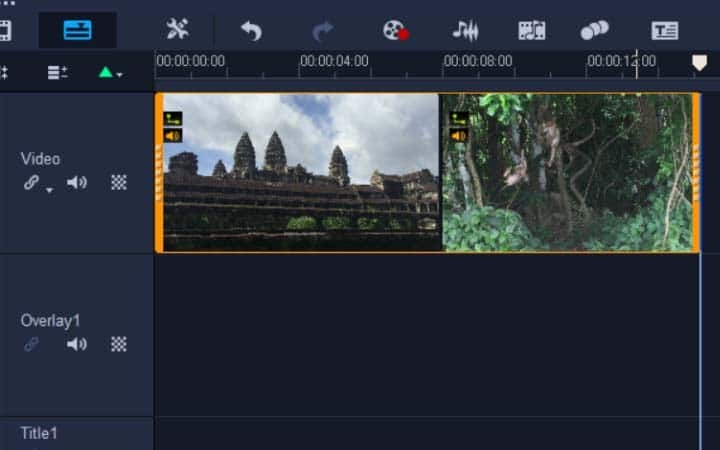
Audio normalization is crucial for achieving consistent volume across different audio tracks and projects. A thorough understanding of audio levels, particularly decibels (dB), peak amplitude, and RMS levels, is essential for accurate normalization. This section details the various aspects of audio levels, including different audio formats and how various audio editing software handles these levels.
Decibels (dB)
Decibels are a logarithmic unit used to measure the ratio of one quantity to another, often power or amplitude. In audio, decibels represent the difference between a reference level and the measured level. This logarithmic scale is vital because the human ear perceives changes in sound intensity on a logarithmic scale. A 10dB increase represents a tenfold increase in power.
Peak Amplitude and RMS Levels
Peak amplitude represents the highest instantaneous voltage or current in an audio signal. This is the maximum value the signal reaches at any given point in time. RMS (Root Mean Square) level, on the other hand, represents the average power of the signal over time. RMS levels provide a more stable and representative measure of the signal’s overall loudness.
Audio Formats and Volume Representation
Different audio formats have varying methods of storing and representing audio levels. Uncompressed formats like WAV often store audio data in a way that directly reflects the peak amplitude of the signal. Compressed formats, such as MP3, store data in a compressed form that may not directly correspond to peak amplitude. Normalization strategies for these formats often rely on RMS or other calculated values to achieve consistent volume.
For example, an MP3 file with a high RMS value might sound louder than one with a low RMS value, even if their peak amplitudes are similar.
Audio Editing Software and Volume Levels
Most audio editing software includes tools for measuring and adjusting audio levels. These tools often display peak amplitude, RMS levels, and other metrics, allowing users to evaluate and adjust the volume of their audio tracks. The specific features and algorithms used for these measurements may vary between different software programs. For example, some software might use a more complex algorithm to calculate RMS levels, taking into account the frequency content of the audio.
These differences in measurement techniques can affect the perceived loudness of audio even if the displayed values are numerically similar.
Comparison of Audio Level Meters
| Level Meter | Description | Strengths | Weaknesses |
|---|---|---|---|
| Peak | Measures the maximum instantaneous amplitude. | Useful for avoiding clipping. | Doesn’t reflect average loudness. |
| RMS | Calculates the average power of the signal over time. | Provides a more representative measure of perceived loudness. | Can be less sensitive to transient peaks. |
| LUFS (Loudness Units relative to Full Scale) | Measures perceived loudness, accounting for frequency content. | Provides a more accurate measure of how loud the audio will sound to listeners. | Requires specific calculations and may not always correlate perfectly with subjective perception. |
This table provides a concise comparison of different audio level meters, highlighting their strengths and weaknesses. Understanding these differences is crucial for selecting the appropriate level meter for a specific normalization task.
Methods for Normalization
Audio normalization ensures consistent volume across different audio tracks or projects. This process involves adjusting the amplitude of an audio signal to a predefined level. Understanding different normalization methods is crucial for achieving a consistent listening experience and maintaining audio quality.Normalization techniques go beyond simple volume adjustments. They employ various algorithms to achieve consistent loudness levels while preserving the integrity of the original audio signal.
This process is especially important in the music industry, where artists and producers strive for a uniform listening experience across various playback systems.
Gain Adjustment for Audio Normalization
Gain adjustment is a fundamental method in audio normalization. It involves increasing or decreasing the amplitude of an audio signal by a certain amount. This is often expressed in decibels (dB). A positive gain value increases the amplitude, while a negative gain value decreases it. The adjustment is typically applied to the entire audio signal.
Precise control over gain is essential for achieving the desired output level without distorting the audio.
Normalization Algorithms
Various algorithms are used for audio normalization. One common method is LUFS (Loudness Unit relative to Full Scale) normalization. LUFS normalization adjusts the audio’s loudness to a target level, aiming for consistent loudness perception across different audio material. This algorithm takes into account the perceived loudness of the audio, which is different from the simple amplitude measurement. Other normalization algorithms include peak normalization, which adjusts the audio to a specific peak amplitude level.
This method is often less complex than LUFS normalization, but it may not account for perceived loudness.
Comparison of Normalization Algorithms
The choice of normalization algorithm significantly impacts the resulting audio quality. LUFS normalization, for example, strives to maintain the perceived loudness of the audio, potentially preserving more of the original dynamic range and avoiding distortion. However, it requires more sophisticated algorithms to accurately assess loudness. Peak normalization, on the other hand, focuses solely on the maximum amplitude, which might lead to clipping or distortion if not carefully managed.
The optimal choice depends on the specific needs of the project and the desired outcome.
Audio Editing Software for Normalization
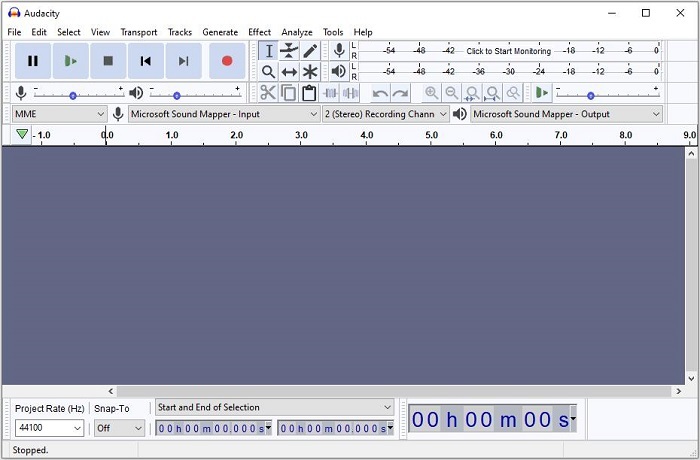
Modern audio editing software provides tools for normalization. These tools often incorporate various normalization algorithms, allowing users to choose the most appropriate method for their needs. Software like Audacity, Adobe Audition, and others, provide intuitive interfaces for adjusting audio levels. The specific tools and procedures vary between applications, but generally, users can apply normalization to sections or entire audio files.
Step-by-Step Normalization with Audacity
Audacity, a free and open-source audio editor, offers a straightforward normalization process. The steps are generally consistent with most audio editing software.
- Open the audio file in Audacity.
- Select the “Effect” menu.
- Choose “Normalize.” This will open a dialog box where you can specify the target level or gain adjustment.
- Confirm the settings and apply the normalization to the audio.
- Save the normalized audio file.
Gain Adjustment Options in Audio Software
Different audio editing software provides varying gain adjustment options for normalization.
| Software | Gain Adjustment Options |
|---|---|
| Audacity | Target level (dBFS) |
| Adobe Audition | LUFS target, Peak limiter, Gain adjustment (dB) |
| Cool Edit Pro | Target level (dBFS), LUFS target |
| Pro Tools | Target level (dBFS), LUFS target, various limiter options |
Tools and Techniques
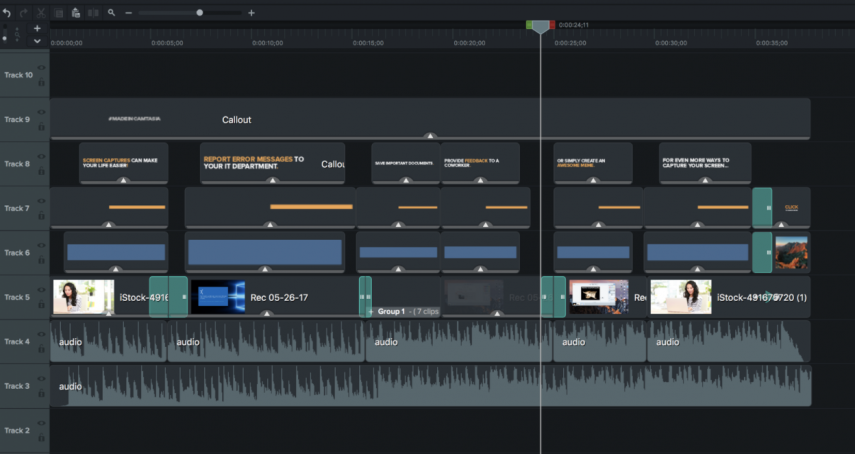
Mastering audio normalization requires the right tools and techniques. Understanding audio level meters, plugins, and compression methods is crucial for achieving consistent volume levels while preserving the nuances of the original recording. Proper application of these tools safeguards against common pitfalls and ensures a professional result.Accurate measurement of audio levels is paramount in the normalization process. This is where audio level meters play a vital role.
These tools provide a visual representation of the audio’s dynamic range, allowing users to gauge the amplitude of different parts of the audio signal and ensure a consistent volume across the entire track.
Audio Level Meters
Audio level meters provide a visual representation of the audio’s dynamic range, crucial for accurate normalization. They display the amplitude of different parts of the audio signal, helping users identify peaks and troughs. This visual feedback allows for precise adjustments to achieve consistent volume levels. Professional audio interfaces often include integrated meters, while dedicated standalone meters offer advanced features like logarithmic scales and different averaging methods.
Audio Plugins and Normalization
Audio plugins are essential tools for normalization. Specialized plugins offer advanced normalization features that are not easily replicated using other techniques. These plugins often incorporate algorithms for precise level adjustment, minimizing distortion and maintaining the original audio quality. They allow for targeted adjustments to specific sections of audio, ensuring a uniform volume level while preserving dynamic range.
Audio Compression Methods for Normalization
Various compression techniques are used in normalization. Dynamic range compression, often applied in normalization, reduces the difference between loud and quiet parts of the audio. This process can be subtle or aggressive, depending on the desired outcome. Different compression algorithms have unique characteristics, affecting the overall sound of the audio. The choice of compression algorithm often depends on the specific audio material and the desired aesthetic.
Preserving Original Audio Dynamics
Maintaining the original audio dynamics is crucial in normalization. Aggressive normalization can result in the loss of subtle nuances and the overall sonic character of the recording. While normalization aims for consistent volume, it should not sacrifice the natural variation in the audio’s intensity. This is often achieved through careful adjustment of the compression settings and limiting the degree of volume changes.
It’s vital to listen critically throughout the process to maintain the integrity of the original audio.
Common Pitfalls and Errors
Common pitfalls in normalization include excessive compression, resulting in a flattened and lifeless sound. Another mistake is improper use of audio plugins, potentially leading to audible distortion. Insufficient monitoring and evaluation of the normalization process can result in inconsistent volume or loss of dynamic range. Overly aggressive normalization can lead to the loss of subtleties in the audio, altering the artist’s original intent.
Examples of Audio Normalization Software
| Software Type | Free | Paid |
|---|---|---|
| Standalone Applications | Audacity | Adobe Audition, Steinberg Cubase |
| Audio Editing Software | LMMS | Pro Tools, Logic Pro X |
| Plugin-Based Software | Free plugins (available online and within DAWs) | Various plugins from reputable vendors (e.g., iZotope, Waves) |
This table provides a basic overview of free and paid options. The choice of software depends on specific needs and budget constraints. Many free options offer basic normalization tools, while paid options provide more advanced features and extensive controls.
Considerations for Different Audio Types
Audio normalization, while a crucial step for consistent playback volume, requires careful consideration of the specific audio type. Different genres and formats have unique characteristics that necessitate tailored approaches to maintain sonic integrity. This section delves into the nuances of normalization for music, podcasts, and voiceovers, highlighting best practices and potential pitfalls.
Normalization Techniques for Music
Music often features dynamic ranges that are much broader than other audio types. This dynamic range encompasses subtle whispers and powerful crescendos, and preserving this range is crucial for a rich listening experience. Aggressive normalization can squash these nuances, resulting in a flattened, less engaging sound. Normalization strategies for music should prioritize maintaining the perceived dynamic range while ensuring a consistent volume across tracks.
Careful monitoring of peak levels is essential to avoid clipping, a distortion that severely impacts the audio quality. Methods such as RMS normalization, which averages the power level over time, may be more suitable for music than peak normalization, which focuses solely on the highest amplitude.
Normalization Strategies for Podcasts
Podcasts, often incorporating a mix of speech, music, and sound effects, demand a balance between preserving the natural speech levels and achieving consistent volume. Normalization should prioritize the clarity and intelligibility of spoken content, even if this means that background music or sound effects might be slightly quieter in some episodes. Maintaining the original dynamic range of the speech is paramount to ensuring a high-quality listening experience.
Using techniques like spectral normalization, which accounts for the frequency distribution of the audio, can be beneficial in maintaining the overall character of the audio while normalizing the volume.
Normalization Techniques for Voiceovers
Voiceovers, with their reliance on clear speech, need normalization that prioritizes the intelligibility of the spoken word. The subtle inflections and nuances in the speaker’s voice are important and must be preserved. Normalization should not compress these subtle variations, potentially distorting the tone or conveying emotions. A common approach is to focus on preserving the signal-to-noise ratio while keeping the volume consistent.
This ensures that the spoken content remains crisp and clear, without excessive compression. A soft limiter, adjusted to maintain the natural sound of the voice, may be an effective tool.
Optimal Normalization Strategies Table
| Audio Type | Normalization Strategy | Key Considerations |
|---|---|---|
| Music | RMS normalization, careful monitoring of peak levels | Preserving dynamic range, avoiding clipping, maintaining sonic integrity |
| Podcasts | Prioritize speech clarity, spectral normalization | Balancing speech with background elements, maintaining intelligibility |
| Voiceovers | Focus on speech intelligibility, soft limiter | Preserving nuances in tone and emotion, avoiding distortion |
Practical Application and Examples
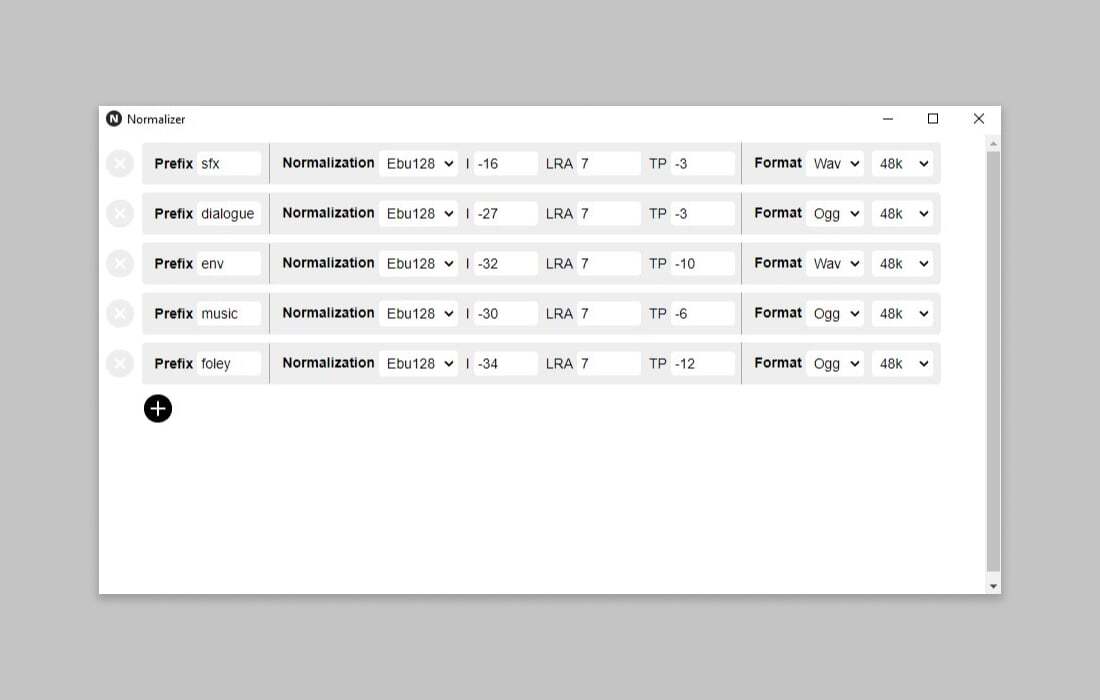
Normalizing audio is crucial for maintaining consistent volume across various tracks and ensuring a professional listening experience. This section provides practical examples and step-by-step procedures for handling different audio scenarios, including significant dynamic range, varying input levels, and the use of reference tracks. It also emphasizes the importance of avoiding clipping and distortion, checking for artifacts, and understanding the nuances of different normalization methods.
Normalizing a Track with Significant Dynamic Range
A track with a substantial dynamic range, meaning a large difference between the loudest and quietest parts, presents a challenge for normalization. The goal is to raise the overall volume while maintaining the integrity of the quieter passages and preventing clipping. A multi-step approach is recommended. First, carefully analyze the waveform to identify the loudest peaks. Then, use a normalization tool to adjust the volume without exceeding the maximum allowable level.
This often involves using a target loudness value. Using a logarithmic scale for normalization can effectively manage the dynamic range, allowing quieter parts to increase while maintaining the character of the louder segments.
Normalizing Audio with Varying Input Levels
Different audio files will have varying input levels, demanding a flexible normalization approach. If the input volume is too low, the resulting normalized output will likely be quite soft. If the input volume is too high, it may lead to clipping and distortion, especially if the original signal already exceeded the maximum amplitude. An essential step is to adjust the input gain to a suitable level before normalization.
This pre-normalization adjustment will result in a more effective and accurate outcome.
Handling Audio Files with Low or High Input Volume
Low input volume necessitates careful consideration during normalization to avoid excessive gain and potential noise amplification. A proper gain stage before normalization is critical for preserving signal-to-noise ratio. High input volume requires a reduction in gain before normalization to prevent clipping. This is a crucial step to avoid distorting the audio.
Using Reference Tracks for Normalization
Reference tracks, which have a known and desirable loudness, serve as a baseline for normalization. Matching the loudness of a target track to a reference track can help achieve a standardized volume level. Tools often employ reference tracks to adjust the output to match the target. This approach can provide a more consistent listening experience across various recordings.
Avoiding Clipping and Distortion During Normalization
Clipping and distortion are detrimental to the quality of normalized audio. Normalization should never exceed the maximum amplitude, as it can lead to audible artifacts and loss of fidelity. A crucial part of normalization is checking for clipping. Tools that allow visual monitoring of the waveform are highly beneficial in identifying potential clipping issues. It is important to utilize these tools to prevent clipping.
Checking for Artifacts After Normalization
Checking for artifacts after normalization is essential. These artifacts might include distortion, unwanted noise, or changes in the original audio’s timbre. Careful listening and visual inspection of the waveform can help identify any unwanted alterations.
Before-and-After Normalization Comparison
A significant improvement can be seen in the normalized output compared to the original recording. The normalized output will have a more consistent volume level.
Comparing Normalization Methods in Different Scenarios
| Normalization Method | Suitable for… | Potential Issues |
|---|---|---|
| ITU-R BS.1770-4 | Broadcast audio, mastering | Requires careful attention to details |
| LUFS (Loudness Units relative to Full Scale) | Various audio types, ensuring consistent loudness | May not always match perceived loudness |
| Peak Normalization | Audio with high peaks | May result in loss of quiet details |
This table highlights the suitability of various normalization methods across different scenarios. Choosing the correct method is essential to avoid potential issues and maintain the desired audio quality.
Advanced Techniques and Troubleshooting
Normalizing audio for consistent volume involves more than just basic techniques. Advanced approaches address specific challenges and ensure optimal results. Understanding the intricacies of audio formats and plugins, coupled with troubleshooting strategies, is key to achieving professional-quality normalization.Advanced audio normalization goes beyond basic tools, often requiring specialized knowledge and techniques to handle complex situations. This includes understanding the limitations of different audio formats and the potential for issues like clipping or excessive compression.
Mastering these techniques empowers audio professionals to achieve high-quality results in a variety of contexts.
Advanced Audio Plugins
Specialized audio plugins can provide advanced normalization capabilities. These plugins often offer more control over the normalization process, allowing for adjustments to specific frequency ranges or dynamic characteristics. For instance, some plugins incorporate multiband compression, allowing for targeted compression across different frequency bands to maintain clarity while achieving consistent volume. Understanding the functionality of these plugins is crucial for effectively tackling complex normalization tasks.
Experimentation with various plugins and their parameters can lead to customized normalization strategies for unique audio projects.
Understanding Audio Format Specifications
Different audio formats have distinct technical specifications that influence normalization procedures. Lossless formats like WAV typically offer more headroom for dynamic adjustments, whereas compressed formats like MP3 have inherent limitations. This understanding is vital to avoid unnecessary or detrimental effects during normalization. For instance, attempting aggressive normalization on an MP3 file can result in a noticeable loss of quality or undesirable artifacts.
Recognizing the limitations of each format is key to preserving audio fidelity while ensuring consistent volume.
Handling Inconsistent Volume Throughout a Track
Audio tracks can exhibit inconsistent volume levels throughout their duration. Specialized normalization tools or techniques may be required to achieve uniform volume across the entire piece. Methods like applying varying degrees of compression across sections or using adaptive normalization algorithms can help mitigate this issue. Careful analysis of the track’s volume variations is necessary to identify problematic sections and apply appropriate corrective measures.
Troubleshooting Common Issues
Troubleshooting normalization issues like clipping or excessive compression requires a methodical approach. Clipping occurs when audio signals exceed the maximum possible amplitude, leading to distortion. Excessive compression can result in a loss of dynamic range, reducing the perceived loudness and clarity of the audio. Understanding these issues and their causes is crucial for successful troubleshooting.
Troubleshooting Table
| Error | Possible Cause | Troubleshooting Steps |
|---|---|---|
| Clipping | Audio peaks exceeding the maximum amplitude | Reduce the normalization gain, use a softer compression setting, or limit the peak levels during the normalization process. Consider using a limiter plugin to prevent clipping. |
| Excessive Compression | Overly aggressive compression settings | Reduce the compression ratio and threshold settings. Apply multiband compression to target specific frequency ranges. Evaluate the dynamic range of the original audio and adjust normalization accordingly. |
| Uneven Volume | Variations in volume levels across the track | Analyze the audio waveform to identify sections with inconsistent volume. Use adaptive normalization methods or apply different normalization settings to various parts of the track. Consider using a volume leveling tool to adjust the volume throughout the track. |
Third-Party Normalization Tools
Third-party normalization tools provide a wide range of features and functionalities. These tools can often handle more complex normalization scenarios compared to basic audio editors. Specific tools might offer unique normalization algorithms, advanced features for different audio types, and detailed control over the normalization process. Choosing a suitable third-party tool depends on the specific needs of the project and the desired level of control.
Their capabilities and features often outweigh the limitations of basic audio editors for complex projects.
Ultimate Conclusion
In conclusion, normalizing audio for consistent volume involves a multifaceted approach that considers various audio types and specific requirements. By mastering the techniques Artikeld in this guide, you can achieve professional-quality results, whether you’re working with music, podcasts, or voiceovers. The key is to understand the different audio levels, employ the right normalization methods, and use the appropriate tools effectively.
A thorough understanding of the entire process, from fundamental principles to advanced troubleshooting, is crucial to achieving the desired outcome.