Audio compression is a powerful tool that can significantly enhance the quality and efficiency of audio content. From music streaming to podcasting, this technique plays a crucial role in optimizing storage space and bandwidth. This guide explores the intricacies of audio compression, from fundamental concepts to practical applications, providing a detailed understanding of how to leverage compression to improve audio quality.
This comprehensive guide delves into the various aspects of audio compression, covering everything from the technicalities of lossy and lossless methods to practical considerations for different use cases. We’ll examine how different compression algorithms impact audio quality and how to choose the right method for specific applications.
Introduction to Audio Compression
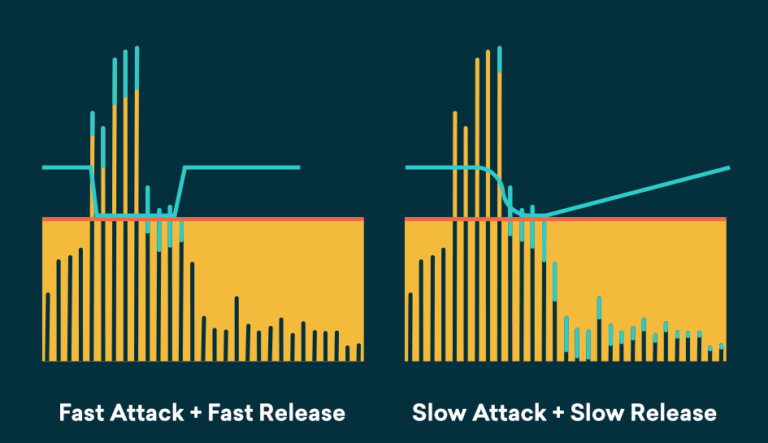
Audio compression is a crucial process in the digital audio world, significantly impacting storage space and transmission efficiency. It reduces the size of audio files without compromising the quality of the original sound as much as possible. This technique is vital for sharing, storing, and enjoying audio content across various platforms and devices.This process leverages mathematical algorithms to represent audio data in a more compact form.
This reduction in file size is particularly beneficial for streaming services, online music libraries, and personal music collections, allowing for easier access and faster download times. It also plays a vital role in audio production workflows, facilitating efficient storage and management of large audio files.
Lossy and Lossless Compression
Audio compression techniques can be broadly categorized into lossy and lossless methods. Lossless compression techniques maintain the original audio data, ensuring perfect reconstruction without any data loss. Lossy compression, on the other hand, discards some audio data to achieve greater compression ratios.Lossless compression techniques, while preserving all audio information, typically result in smaller file sizes compared to uncompressed audio, but not as much as lossy techniques.
Lossy compression methods offer significantly smaller file sizes, but the quality of the compressed audio may differ from the original, with some information inevitably lost. The choice between lossy and lossless compression depends on the specific application and the acceptable level of quality compromise.
Audio Compression Algorithms
Various algorithms exist for compressing audio data. Different algorithms are optimized for various uses and qualities.
- MP3 (MPEG Audio Layer 3): A widely used lossy compression format, MP3 offers a good balance between file size and audio quality. It is particularly well-suited for music files, where some perceived quality loss may be acceptable for the significant reduction in file size.
- AAC (Advanced Audio Coding): Another popular lossy format, AAC generally provides better audio quality compared to MP3 at similar compression ratios. It is commonly used in various streaming services due to its superior sound quality. AAC is often preferred for higher-quality audio content.
- FLAC (Free Lossless Audio Codec): FLAC is a lossless compression algorithm that maintains the original audio quality perfectly. It is ideal for audiophiles and professionals who require the highest audio fidelity. This format is often used for archiving and preserving audio files, maintaining the original quality without any compromise.
Comparison of Audio Formats
The following table summarizes the key characteristics of different audio compression formats.
| Format | File Size | Audio Quality | Compatibility |
|---|---|---|---|
| MP3 | Generally small | Good, but some loss of detail | High, compatible with many devices and software |
| AAC | Generally smaller than lossless formats | Higher quality than MP3 | High, widely used in streaming services |
| FLAC | Larger than lossy formats | Perfect, identical to original | High, supported by many audio players |
Understanding Audio Quality Metrics
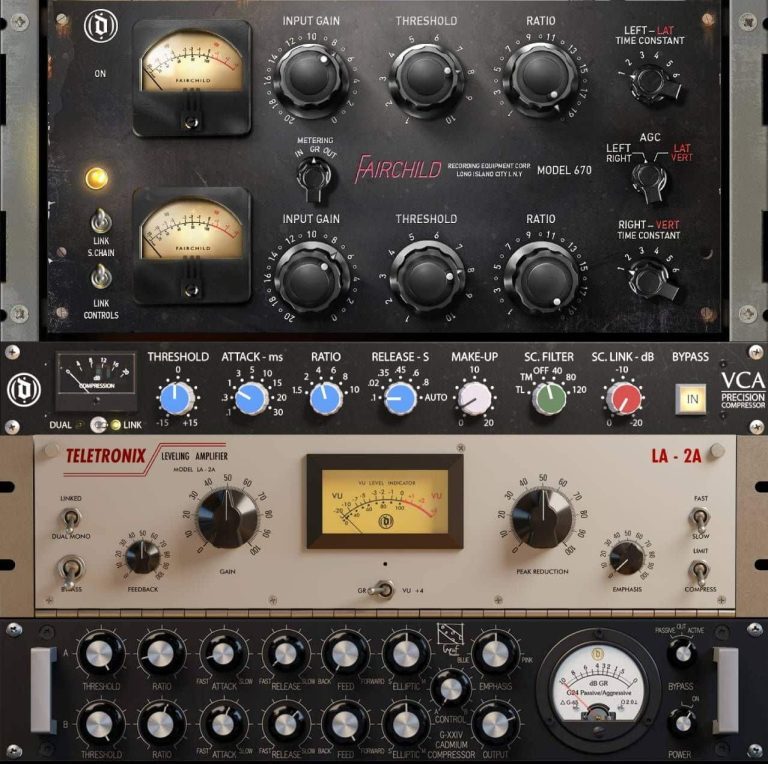
Evaluating audio quality is crucial for understanding the impact of compression. Accurate assessment allows us to objectively measure changes in sound and identify trade-offs introduced by compression algorithms. This section details key metrics used to quantify audio quality and their relationship to the listener’s perception.
Signal-to-Noise Ratio (SNR)
Signal-to-noise ratio (SNR) quantifies the level of desired audio signal compared to the unwanted noise present in the audio recording. A higher SNR indicates cleaner audio, with less background interference. In compressed audio, the noise floor often increases due to quantization and other artifacts introduced by the compression process. This results in a lower SNR, impacting perceived audio quality.
The impact varies greatly depending on the specific compression algorithm and the audio material.
Frequency Response
Frequency response describes the range of frequencies an audio system can reproduce accurately. A flat frequency response indicates that the system faithfully reproduces all audible frequencies without emphasizing or attenuating any specific range. Compression can alter the frequency response, potentially causing the audio to sound muffled, distorted, or lacking in certain frequencies. The extent of these changes depends heavily on the specific compression scheme and the complexity of the audio content.
Bit Depth
Bit depth, measured in bits per sample, dictates the precision with which the amplitude of an audio signal is represented. Higher bit depth generally leads to greater dynamic range and a wider range of possible sound levels, enhancing the fidelity of the audio. Compression algorithms often reduce bit depth to achieve smaller file sizes, which can noticeably degrade the perceived quality, especially in recordings with significant dynamic range.
The loss in bit depth directly correlates to a loss in precision of the sound representation, leading to a decrease in perceived audio quality.
Impact of Compression on Audio Quality Metrics
The table below illustrates how compression affects various audio quality metrics across different formats. It highlights the trade-off between file size reduction and audio quality degradation. The specific values are estimates and will vary based on the specific audio material and the compression algorithm used.
| Audio Format | SNR (dB) | Frequency Response (kHz) | Bit Depth (bits) | Perceived Quality |
|---|---|---|---|---|
| Uncompressed WAV | 90-100 | 20-20,000 | 16-24 | Excellent |
| MP3 (128 kbps) | 75-85 | 15-18,000 | Variable | Good, but some loss |
| AAC (128 kbps) | 80-90 | 16-18,000 | Variable | Good, with less loss than MP3 |
| Ogg Vorbis (128 kbps) | 78-88 | 16-18,000 | Variable | Good, generally better than MP3 |
Lossy Compression Techniques
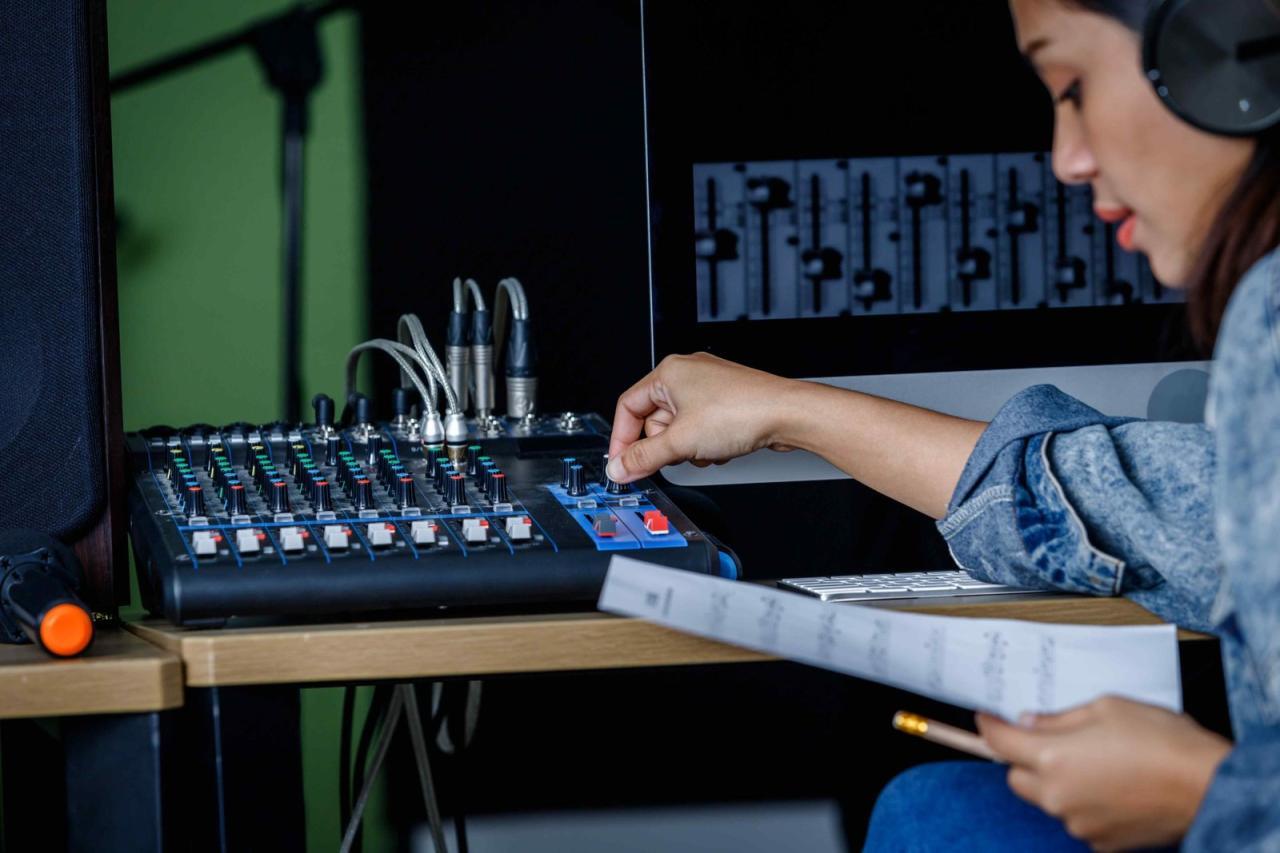
Lossy compression techniques significantly reduce file sizes by discarding some audio data deemed perceptually insignificant. This process, while sacrificing some audio fidelity, allows for more compact storage and easier transmission of audio files. These techniques are crucial for applications like streaming music and podcasting, where smaller file sizes are vital for efficient delivery.Lossy compression algorithms employ sophisticated methods to identify and discard audio information that the human ear is unlikely to detect.
This is achieved through psychoacoustic modeling, a critical element in these algorithms, and is a core component of the compression process. By analyzing the characteristics of human hearing, these algorithms effectively eliminate the unnecessary parts, leading to significantly smaller file sizes without a noticeable loss of quality for the listener.
Psychoacoustic Modeling
Psychoacoustic modeling is the cornerstone of lossy audio compression. It’s based on the understanding that human hearing isn’t equally sensitive to all frequencies and intensities of sound. This understanding allows algorithms to selectively discard audio components that are likely to be masked or not noticed by the listener. The process analyzes the audio signal to identify these masked or irrelevant components.
Steps in a Lossy Compression Algorithm (e.g., MP3 Encoding)
Lossy compression algorithms, like the MP3 encoding process, typically involve several key steps. These steps are designed to reduce the audio data while minimizing perceived loss.
- Frequency Analysis: The input audio signal is analyzed to determine its frequency components and their intensities. This is typically achieved through a process known as a Fast Fourier Transform (FFT). This process decomposes the audio signal into its constituent frequencies.
- Psychoacoustic Masking: The algorithm uses psychoacoustic models to identify frequencies that are likely masked by louder frequencies. This analysis is crucial because masking is a critical aspect of human hearing. The ear perceives louder sounds as masking softer ones in the same frequency range. The model predicts which frequencies can be discarded.
- Quantization and Bit Allocation: Frequencies not predicted to be masked or to have a negligible perceptual impact are quantized, and fewer bits are allocated for their representation in the compressed file. The less significant frequencies are assigned fewer bits in the compressed file. This process reduces the number of bits required to represent the data, thus leading to smaller file sizes.
- Bitstream Encoding: The algorithm encodes the quantized data into a compressed bitstream. This bitstream is then used to store or transmit the audio file. Efficient encoding methods are used to further reduce the file size.
Perceptual Irrelevance Identification
Psychoacoustic models are essential for identifying and discarding perceptually irrelevant audio information. These models consider factors like the loudness and frequency of sounds, along with the listener’s auditory system’s sensitivity to different frequencies. They effectively identify and discard components that the human ear is less likely to perceive or that are masked by other, louder sounds. This is vital because it allows the algorithm to prioritize the preservation of components that are most crucial to the listener’s experience.
“Lossy compression techniques inherently introduce a trade-off between file size reduction and audio quality. Smaller file sizes come at the cost of some perceived loss in audio fidelity, but this loss is often imperceptible to the average listener.”
Lossless Compression Techniques
Lossless audio compression methods aim to reduce the size of audio files without altering the original audio data. This is crucial for preserving the fidelity of the sound, ensuring that the listener experiences the audio as intended by the creator. These techniques are particularly valuable in situations where the highest possible audio quality is paramount, such as in professional audio production or archival purposes.Lossless compression achieves this by employing sophisticated algorithms that identify and exploit redundancies within the audio data without discarding any information.
These techniques are in stark contrast to lossy compression, which discards some data to achieve greater size reduction. Understanding the principles and different algorithms behind lossless compression is key to appreciating its importance in maintaining high-quality audio.
Principles of Lossless Compression
Lossless compression algorithms rely on identifying patterns and redundancies in the input audio data. These patterns can be exploited to represent the data more concisely without any loss of information. This process involves transforming the audio data into a more compact representation while retaining all the original information. The resulting compressed data can then be decompressed to recover the exact original audio.
These algorithms work by finding redundancies in the data and using these patterns to create a more compact representation. By employing mathematical models, the redundancy is exploited, allowing for smaller file sizes without any compromise in the fidelity of the audio.
Different Lossless Compression Algorithms
Various algorithms exist for lossless audio compression, each with its own strengths and weaknesses. Some of the most prominent include:
- FLAC (Free Lossless Audio Codec): A widely used open-source format, FLAC is known for its high compression ratios and excellent audio quality. It is a very popular choice for storing and distributing high-quality audio, often considered a gold standard for lossless audio compression. FLAC employs advanced predictive coding and other techniques to efficiently represent the audio data. Its ability to retain all the original audio information is key to its popularity in the audiophile community.
- ALAC (Apple Lossless Audio Codec): Developed by Apple, ALAC is a proprietary lossless codec. It is commonly used in Apple products and offers a good balance between compression ratio and audio quality. ALAC is a competitive alternative to FLAC, offering comparable compression efficiency with excellent audio quality. It often achieves good compression ratios, making it an excellent choice for users seeking high-quality audio without excessive file sizes.
- WAV (Waveform Audio File Format): While not a compression algorithm in the traditional sense, WAV is an uncompressed format. This means it stores the audio data in its original form, resulting in the largest file sizes. Although not technically a compression technique, it serves as a baseline for comparing lossless compression methods, as it represents the uncompressed audio.
Lossless vs. Lossy Compression
Lossless compression, in contrast to lossy compression, maintains the integrity of the original audio data. This is a crucial distinction, as lossy compression algorithms sacrifice some audio information to achieve higher compression ratios. Lossless compression is ideal for applications where maintaining the original audio quality is paramount, such as archival and professional audio work. Conversely, lossy compression is suitable for situations where file size reduction is critical, like distributing music online.
| Feature | Lossless Compression | Lossy Compression |
|---|---|---|
| Audio Quality | Preserves original audio quality | Sacrifices some audio quality for smaller file sizes |
| File Size | Larger file sizes | Smaller file sizes |
| Applications | Archival, professional audio | Streaming music, distributing music |
Maintaining High-Quality Audio with Minimal Data Loss
The efficacy of lossless compression in maintaining high-quality audio is directly tied to the algorithms’ ability to accurately represent the nuances of the audio signal. Sophisticated algorithms, like those used in FLAC and ALAC, can efficiently encode the intricate details of the audio signal without sacrificing fidelity. This precision is crucial in preserving the original sound characteristics, ensuring the listener hears the audio exactly as intended.
Practical Applications of Compression in Audio
Audio compression significantly impacts various applications, enhancing efficiency and accessibility. By reducing the size of audio files, compression facilitates easier storage, faster transmission, and more user-friendly experiences across diverse platforms. This section explores the practical applications of audio compression in various contexts, examining its impact on storage, bandwidth, and user experience.
Music Streaming Services
Music streaming services rely heavily on audio compression to deliver a vast library of music to users efficiently. Lossy compression algorithms, like MP3 and AAC, are crucial for reducing file sizes while maintaining acceptable audio quality for streaming. This allows users to access a wide variety of music without excessive storage demands on their devices and without consuming significant bandwidth.
The compression ratio achieved directly impacts the number of songs that can be streamed on a given platform.
Podcasting
Podcasters utilize compression techniques to distribute their audio content effectively. Lossy compression algorithms, particularly MP3, are widely employed due to their balance of file size reduction and audio quality. This enables listeners to download or stream podcasts quickly and easily, without significant bandwidth consumption. Furthermore, the compression process facilitates easier distribution across various podcasting platforms.
Video Games
Audio compression is vital in video game development, particularly for sound effects and music. Compression allows developers to include a rich and dynamic audio experience without compromising the game’s performance. Lossy compression techniques can significantly reduce the size of audio assets, enabling a more seamless and responsive gaming experience. Furthermore, smaller audio files improve loading times, ensuring a smooth gameplay experience.
Offline Storage
Compression is a key factor for storing large collections of audio files. Lossy and lossless compression techniques enable users to manage and organize their extensive music libraries, podcast collections, or other audio content effectively. This storage efficiency allows users to accommodate a vast quantity of audio content without overwhelming their storage capacity. Lossless compression ensures that the original audio quality is preserved, offering a backup solution for high-fidelity audio.
Impact on Audio Genres
The impact of compression on different audio genres varies. For example, genres with complex timbres and dynamic ranges, such as classical music, may exhibit more noticeable quality degradation when compressed using lossy methods compared to genres with more consistent dynamics. However, the compression techniques employed directly influence the level of quality degradation across different genres. Users must carefully select the appropriate compression method based on their specific needs and the genre of audio being compressed.
Table of Audio Compression Use Cases
| Context | Compression Technique | Impact on Storage | Impact on Bandwidth |
|---|---|---|---|
| Online Streaming (Music) | MP3, AAC | Significant reduction in file size | Reduced bandwidth requirements, faster streaming |
| Podcast Downloads | MP3, AAC | Reduced file size | Faster downloads, easier access |
| Video Game Audio | MP3, Vorbis | Reduced storage requirements | Improved game performance |
| Offline Music Library | FLAC, WAV (lossless) | Preserves original audio quality | Higher storage requirements |
Compression and Hardware Considerations
Audio compression, while a crucial aspect of audio processing, is significantly influenced by the underlying hardware. The efficiency and quality of the compression process are directly tied to the capabilities of the components involved, from sound cards to digital audio workstations (DAWs). Understanding these relationships allows users to optimize their audio workflow and achieve the desired results.The implementation of audio compression algorithms on hardware relies on specialized processors and memory structures.
Modern sound cards and audio processing units (APUs) are designed to handle these complex calculations efficiently, enabling real-time compression or decompression. This translates to improved user experience when working with compressed audio.
Hardware Implementation of Compression
The implementation of audio compression algorithms in hardware is multifaceted, involving specialized processors and memory architectures. These components are carefully designed to handle the complex calculations required for efficient compression and decompression. The efficiency of these algorithms often depends on the architecture of the hardware.
Role of Hardware in Compression Efficiency
The performance of audio compression algorithms is strongly correlated with the hardware capabilities. Processing power, memory capacity, and the specific architecture of the audio processing units (APUs) or dedicated compression chips can significantly impact the speed and quality of the compression process. For instance, more powerful CPUs or dedicated audio processing hardware can handle complex algorithms with higher speeds and lower latency, leading to a better user experience.
Impact of Hardware Configurations on Quality and Speed
Different hardware configurations can dramatically affect both the quality and speed of audio compression. A high-end sound card with a dedicated audio processing unit (APU) can provide significantly faster and higher-quality compression than a standard sound card with limited processing capabilities. The amount of RAM available also plays a crucial role, as complex compression algorithms require substantial memory to store intermediate data.
This is especially true for lossless compression techniques that preserve all the original audio data. Furthermore, the type of operating system and the drivers installed can influence the performance and stability of the compression process.
Hardware Requirements for Different Compression Algorithms
| Compression Algorithm | Processing Power Requirement | Memory Requirement | Specific Hardware Considerations |
|---|---|---|---|
| Lossless Compression (e.g., FLAC) | Moderate to High | High | Needs sufficient RAM to handle large files; dedicated processing units can enhance speed |
| Lossy Compression (e.g., MP3) | Low to Moderate | Low | Can be implemented on a wider range of hardware; lower computational demand allows for faster processing |
| Advanced Lossy Compression (e.g., AAC) | Moderate | Moderate | Requires a balance of processing power and memory to maintain high quality and speed |
The table above provides a general overview of the hardware requirements for different audio compression algorithms. The specific needs may vary depending on the implementation details of the algorithm and the desired output quality. For instance, higher bitrate MP3 encoding demands more processing power compared to lower bitrate options.
Troubleshooting Audio Compression Issues
Troubleshooting audio compression issues is a crucial aspect of mastering audio processing. Identifying and resolving problems is essential for achieving high-quality compressed audio that maintains the integrity of the original sound. This section delves into common issues, troubleshooting methods, and techniques for optimizing compression settings.Common problems encountered during audio compression can range from subtle artifacts to significant distortion, impacting the overall listening experience.
Understanding these issues and the tools to address them allows users to refine their workflow and produce superior audio.
Identifying Common Compression Artifacts
Common audio compression artifacts include audible clicks, pops, distortion, and “muddy” sounds. These artifacts can arise from various compression algorithms and settings, and are often subtle but noticeable. Accurate identification is essential for effective troubleshooting.
Troubleshooting Artifacts with Software Tools
Different audio editing software provides varying tools for troubleshooting compression issues. Audacity, for example, allows for detailed analysis of waveforms, while specialized audio mastering software often offers advanced spectral analysis. Using these tools, users can pinpoint the specific location and nature of the artifact.For instance, by visually inspecting the waveform, one can identify areas of significant compression artifacts like clicks or pops.
Likewise, using spectral analysis, you can identify regions where the compression has introduced unwanted harmonic distortion. These tools allow users to precisely pinpoint the cause of the artifacts and adjust the compression settings accordingly.
Adjusting Compression Settings for Optimal Results
Adjusting compression settings is a crucial aspect of achieving optimal results. Parameters like threshold, ratio, attack, and release times directly influence the perceived quality of the compressed audio. Experimentation with these parameters is key to finding the best balance between compression and preserving the natural sound.
Summary of Troubleshooting Steps
| Issue | Possible Cause | Troubleshooting Steps |
|---|---|---|
| Clicks/Pops | High-level compression settings, inappropriate attack/release times. | Reduce threshold and ratio. Adjust attack and release times to avoid sudden changes in amplitude. Try using a softer compression algorithm. |
| Distortion | Excessively high compression ratio. | Reduce the compression ratio. Adjust threshold settings to prevent clipping. Consider using multi-band compression to target specific frequency ranges. |
| Muddy Sound | Over-compression of mid and low frequencies, or lack of proper equalization. | Reduce compression on mid and low frequencies. Use equalization to restore clarity. Use sidechain compression to avoid muddiness. |
Choosing the Right Compression Method
Selecting the optimal audio compression method is crucial for achieving the desired balance between file size reduction and audio quality preservation. Different applications and listening preferences necessitate different approaches. A nuanced understanding of various compression techniques and their properties is vital for making informed decisions.
Factors to Consider When Choosing a Compression Method
Several key factors influence the selection of a compression algorithm. Understanding these elements empowers users to choose the best method for their specific needs. These include the type of audio source, the intended use of the compressed audio, and the acceptable level of quality loss. For example, archival audio recordings necessitate a different approach compared to music for streaming.
- Audio Source Characteristics: The nature of the audio content significantly impacts the suitability of different compression methods. Complex, high-dynamic-range audio signals, such as orchestral recordings, might benefit from lossless compression, while more repetitive or less nuanced material, like speech, may permit lossy compression with less perceptible degradation.
- Intended Use: Streaming audio, for instance, often demands high compression rates for efficient bandwidth usage, even if it means some loss of fidelity. On the other hand, archival purposes or high-fidelity reproduction necessitate lossless compression to preserve the original audio signal accurately. The intended use guides the decision of the suitable compression method.
- Acceptable Quality Loss: The tolerance for quality degradation is a critical consideration. For applications where slight compromises in fidelity are acceptable, such as streaming music, lossy compression methods can prove efficient. For applications requiring absolute preservation of audio fidelity, such as professional audio mastering, lossless compression methods are the only acceptable choice.
- Computational Resources: The processing power required to encode and decode the audio also plays a crucial role. Some algorithms are computationally intensive, and the availability of processing resources will affect the choice. Real-time applications, such as live streaming, may necessitate less computationally demanding algorithms.
Comparison of Compression Algorithms
A comparative analysis of various algorithms is essential for making informed decisions. Different algorithms possess distinct strengths and weaknesses. The table below Artikels some common compression techniques.
| Algorithm | Type | Strengths | Weaknesses |
|---|---|---|---|
| MP3 | Lossy | High compression ratio, widely supported | Loss of audio quality, not suitable for archival |
| AAC | Lossy | Good balance of compression and quality, widely supported | Still involves some loss of fidelity compared to lossless |
| FLAC | Lossless | Preserves the original audio data, high quality | Larger file size compared to lossy |
| WAV | Lossless | Uncompressed format, highest quality | Very large file size |
Guidelines for Choosing the Compression Level
Selecting the appropriate compression level involves careful consideration of the trade-offs between file size and audio quality. A lower compression level results in a larger file size but maintains higher audio quality. Conversely, higher compression levels reduce file size but compromise audio fidelity. Experimentation and listening tests are crucial for determining the optimal balance.
- Auditory Perception: The human ear’s ability to perceive subtle changes in audio quality should be considered. If the compressed audio is intended for casual listening, a higher compression level might be acceptable. However, for critical listening or professional use, lower compression levels are preferred.
- Listening Tests: Direct A/B comparisons of the original and compressed audio are essential for evaluating the level of acceptable quality loss. This will aid in determining the optimal compression level for specific use cases.
Best Practices for Choosing the Optimal Algorithm
Adhering to best practices ensures the selection of the most appropriate compression algorithm for the specific task. A well-defined process enhances the likelihood of achieving the best results.
- Define Requirements: Clearly articulate the desired file size, quality, and intended use of the audio file. Understanding the target audience and the application context are crucial.
- Thorough Evaluation: Conduct rigorous testing and comparisons of various compression algorithms to determine their effectiveness for the particular audio material. Listening tests are essential.
- Iterative Refinement: Adjust the compression level based on the evaluation results to strike a balance between file size and quality. This approach will help achieve the optimal algorithm selection.
Final Review
In conclusion, understanding audio compression is key to optimizing audio quality and efficiency in diverse applications. By exploring the nuances of lossy and lossless techniques, and considering practical applications and hardware factors, users can make informed decisions to achieve the desired audio quality. This guide provides a robust foundation for anyone seeking to master audio compression techniques.